
1
/
1
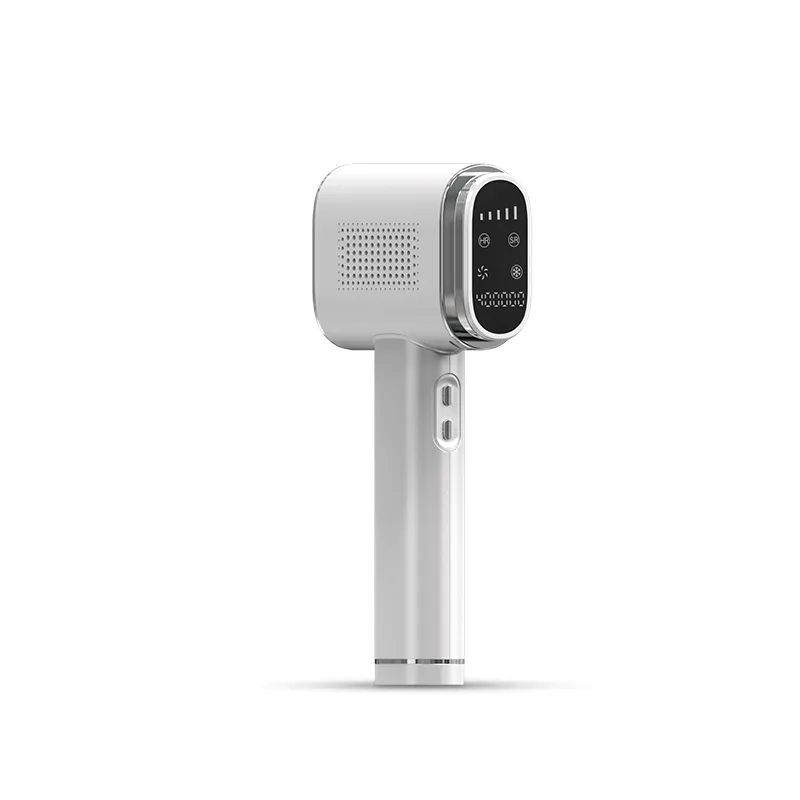
Lunaxon IPL Hair Removal AB50
$405.00 NZD
$572.00 NZD
Quantity
See It in Action


A Simpler At-Home IPL Routine
A Simpler At-Home IPL Routine


How to Use

Before use, shave the treatment area, then clean and dry the skin thoroughly.

Connect the IPL device to the power adapter, then plug the adapter into a suitable power outlet.

Wear the supplied protective glasses during use and do not look directly at the flash.

Press and hold the Power Button for 2 seconds to turn on the device. Skin Care Mode is selected by default.

Five energy levels are available. Level 1 is selected by default; briefly press the Switch Button to adjust the level.

After treatment, press and hold the Power Button for 2 seconds to turn off the device. In standby, it automatically powers off after 5 minutes.
Before use, shave the treatment area, then clean and dry the skin thoroughly.
Connect the IPL device to the power adapter, then plug the adapter into a suitable power outlet.
Wear the supplied protective glasses during use and do not look directly at the flash.
Press and hold the Power Button for 2 seconds to turn on the device. Skin Care Mode is selected by default.
Five energy levels are available. Level 1 is selected by default; briefly press the Switch Button to adjust the level.
After treatment, press and hold the Power Button for 2 seconds to turn off the device. In standby, it automatically powers off after 5 minutes.
Package Contents

Specifications
Dimensions
217.8 × 116 × 42 mm
Weight
0.35 kg
Energy Output
6.5–16.6 J
Treatment Areas
Multiple Body Areas
Wavelength Range
510–1200 nm
Cooling Function
Yes
Cleaning Method
Non-Washable